In today’s world, smartphones have become an essential part of our daily lives, but people are often worried about their phone’s Increase Mobile Phone Battery Health. A battery draining quickly, not holding a charge, the phone overheating, and constantly needing to be charged are all signs of poor battery health. The good news is that you can extend your phone’s battery life by adopting some simple habits.
Nowadays, mobile phones have become an integral part of our lives. We rely on smartphones for everything – calling, internet, social media, online work, gaming – everything. But the weakest and most troublesome part of a mobile phone is the battery.
People often complain that the battery starts draining quickly just a few months after buying a new phone. However, with proper usage and correct charging habits, we can maintain good mobile phone battery health for a long time.
In this blog, we will discuss in detail how to improve your mobile phone’s battery health, which mistakes to avoid, and which habits damage the battery.
So today we will learn how to increase mobile phone battery health.
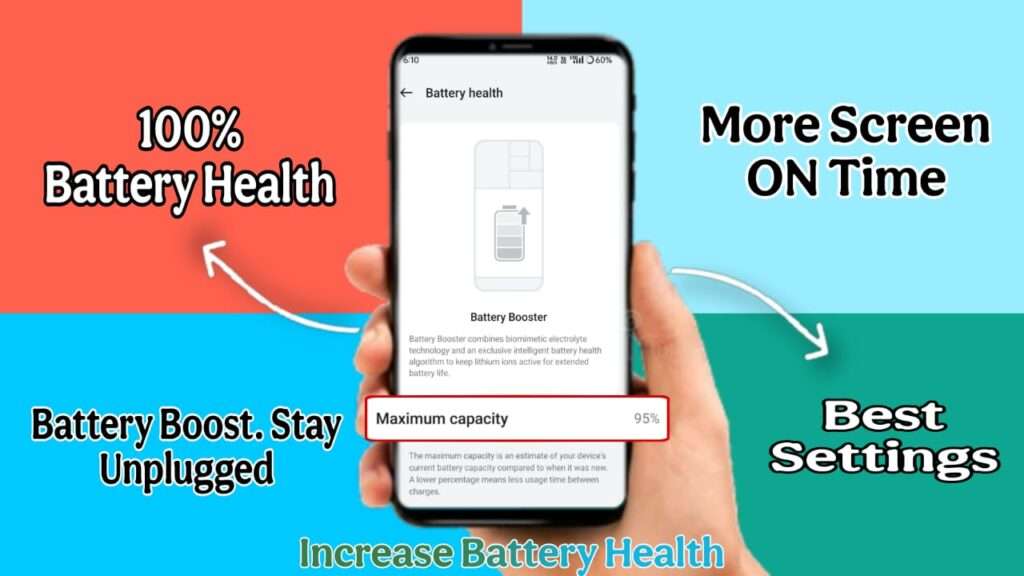
What is Battery Health?
Battery Health refers to the percentage of its original capacity that your battery still retains. Battery Health indicates how much of its original capacity your mobile battery has left. For example, if the battery health is 90%, it means the battery is no longer holding a 100% charge like it used to, but has slightly less capacity remaining.
For example:
- New battery = 100% Health
- After 1–2 years = 85%–90%
- With excessive misuse = 70% or even less
As the battery health decreases:
- The battery drains faster
- The phone gets hot
- Charging becomes slower
- The phone starts shutting down unexpectedly
Why do mobile phone batteries wear out so quickly?
There are several reasons why a battery might fail:
- Overcharging (leaving it plugged in for too long after it reaches 100%)
- Draining the battery completely to 0%
- Using cheap or counterfeit chargers
- The phone overheating
- Heavy apps and background processes
- Improper use of fast charging
If these habits are corrected, battery health can be preserved to a great extent.
Keep the battery level between 20% and 80%.
According to battery experts:
- Do not let the battery drain to 0% repeatedly.
- Charging to 100% every time is also not ideal.
Best Practice: - Start charging at 20%.
- Unplug the charger at 80%-90%
This puts less stress on the lithium-ion battery and helps maintain battery health for a longer period.
Avoid Overcharging
Leaving your mobile phone plugged in to charge overnight is a big mistake. Although modern phones have overcharge protection,
- Heat is generated
- The battery is under stress
Solution: - Charge your phone before going to bed.
- Set an alarm or timer.
- If you must charge it overnight, turn off fast charging.
- Some phones have a feature that allows you to stop battery charging at 95% or even lower.
Use the Original Charger and Cable
Every mobile company designs its charger according to the battery specifications of its phone. Using fake or cheap chargers can cause these problems:
- Voltage imbalance occurs
- Battery degrades quickly
- There is also a risk of the phone exploding
Tip: Always use the company’s original or certified charger.
Use Fast Charging sparingly.
Fast charging is very convenient, but:
- It causes the battery to heat up quickly.
- It reduces battery capacity in the long run.
Best Way:
- Use normal charging daily.
- Use fast charging only in emergencies.
Prevent your phone from overheating.
Heat is the biggest enemy of the battery. Reasons for phone overheating:
- Heavy Gaming
- 4K Video Recording
- Using the phone while charging
- Direct Sunlight
Solution:
- Do not use your phone while charging
- Remove the phone cover while charging
- Do not keep your phone in direct sunlight
Do not use your phone while charging.
While charging:
- Making calls
- Playing games
- Watching videos
These activities:
- Affect both the battery and the motherboard
- Cause excessive heat
Therefore, let your phone rest while charging.
Keep Background Apps Closed
Many apps run in the background and increase battery consumption.
What to do:
- Uninstall unused apps
- Turn off Background App Refresh
- Keep checking battery usage
Control Screen Brightness
The display consumes the most battery.
Tips:
- Keep Auto Brightness ON
- Use Dark Mode
- Keep the screen timeout short
Keep your software updated.
Company software updates include:
- Battery Optimization
- Bug Fixes
- Performance Improvement
Therefore, always keep your phone updated to the latest version.
Use Battery Saving Mode Correctly
Battery Saver Mode:
- Reduces background processes
- Slightly reduces performance
When to use it: - When the battery is low
- While traveling
Don’t let your phone battery drain to 0%
Completely draining the battery repeatedly:
- Damages battery cells
- Reduces the charging cycle
Ideal: Charge your phone when the battery is at 15%-20%.
Use fewer live wallpapers and widgets
Animated wallpapers and too many widgets:
- Drain the battery
Simple wallpapers and limited widgets are better.
Turn off Location, Bluetooth, and Wi-Fi when not needed
These features consume battery in the background. Turn them off when not in use.
How to check battery health?
Android:
- AccuBattery App
- CPU Z App
iPhone:
- iPhones have a built-in feature that shows battery health.
- Settings > Battery > Battery Health
- This will give you an idea of your battery capacity.
When should you replace your battery?
If:
- Battery health is below 70%
- The phone shuts down unexpectedly
- The battery drains in 1-2 hours
Then it’s best to replace the battery.
Extra Tips to Increase Mobile Battery Life
- Let your phone cool down after gaming
- Use power banks sparingly
- Avoid very cheap car chargers
Conclusion :-
If you want your mobile phone to last a long time and avoid the expense of frequent battery replacements, incorporate all the tips mentioned above into your daily habits. With proper charging, less heat, and correct usage, you can maintain your mobile phone’s battery health for years. If you liked this blog, please share it and stay tuned for more helpful tech blogs.
Keywords: How to improve mobile battery health, phone battery tips in Hindi, how to increase battery life, mobile charging tips, smartphone battery care.
Popular Article : Instagram Trending CHATGPT AI PROMPTS Photo Editing
How to Increase Mobile Phone Battery Health? (Full Detailed Guide)

10 Crazy Samsung Galaxy Features – Next Level Using Phone

22 सितंबर 2025 से नया टेक्स नियम लागू ये होगा सस्ता या महंगा ? GST 2.0

Instagram Trending CHATGPT AI PROMPTS Photo Editing
10 Windows CMD Commands You Need To Know